
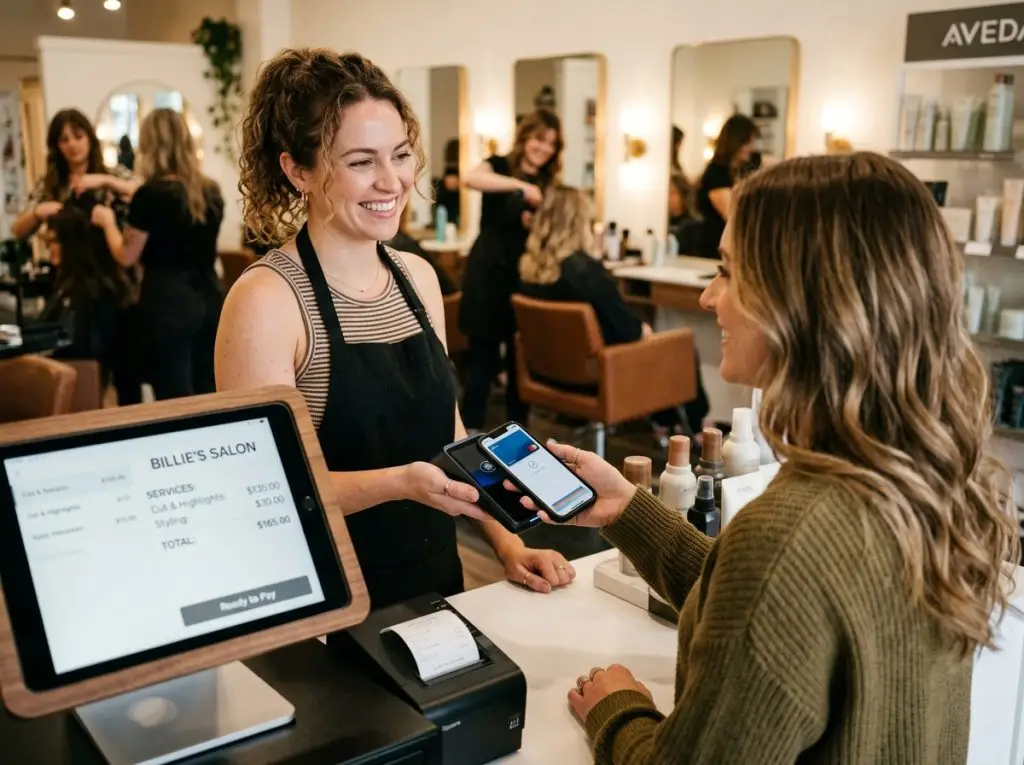
How to Choose a Point-of-Sale System for Your Beauty Business
There are dozens of POS options on the market right now, and most of them claim to be perfect for salons and spas. Some of them actually are. Many of them aren’t. The difference between a good choice and a costly one usually comes down to how well you understand your own business before you start comparing software.
Having a clear picture of how a modern beauty business software fits into day-to-day operations can make that evaluation process much more straightforward.
Start With Your Business, Not the Software
Most salon owners make the mistake of leading with features. They read a comparison article, spot something that looks impressive, and start a free trial before they’ve mapped out what they actually need day-to-day.
The better starting point is a simple audit of your current pain points. Ask yourself:
- Where does your front desk slow down during a busy shift?
- How much time per week is spent on manual tasks like commission calculations or inventory counts?
- Are no-shows costing you measurable revenue?
- Do you have visibility into which services and staff members are most profitable?
- Are your client records scattered across different tools?
Your answers to these questions should shape every decision that follows. A solo esthetician has very different needs from a five-chair hair salon running retail. And both of those are different from a med spa managing memberships, packages, and tiered pricing.

Know Which Type of Business You’re Running
Beauty businesses vary more than people realize, and the right system depends heavily on your model. Before evaluating anything, place yourself in one of these categories:
Appointment-first businesses
(hair salons, nail salons, lash studios) need strong scheduling at the core, calendar management, buffer times, online booking, and automated reminders. The POS component should be tightly integrated with the booking system, not bolted on as an afterthought.
Retail-heavy businesses
(salons with significant product sales) need real inventory management, low-stock alerts, barcode scanning, supplier management, and the ability to run retail reports separately from service revenue.
Membership and package-based businesses
(spas, wellness studios, med spas) need flexible billing — recurring payments, prepaid package redemption, gift card tracking, and expiry management. If your POS can’t handle these natively, you’ll end up managing them manually, which defeats the purpose.
Multi-location businesses
need centralized control; one dashboard for all locations, consolidated reporting, and the ability to manage staff across branches without logging into separate accounts.
Once you know your category, you can immediately filter out systems that aren’t designed for your model. This alone will cut your shortlist in half.

The 5 Questions to Ask Every Vendor
When you’re evaluating a platform, whether it’s a demo, a free trial, or a sales call, these five questions will tell you more than any feature checklist:
1. What does the full monthly cost look like for a business my size? The headline price is rarely the real price. Ask for a breakdown that includes per-user fees, transaction fees, SMS charges, hardware costs, and any add-on modules you’d actually need. If a vendor can’t give you a clear number, that’s a warning sign.
2. What happens to my data if I decide to leave? Your client records, appointment history, and financial reports belong to you. Some platforms make data export difficult by design. Confirm upfront that you can export everything in a usable format.
3. What does onboarding actually look like? Switching systems is disruptive. Ask whether you’ll have a dedicated onboarding contact or just access to a help center. Ask how long client data migration typically takes and whether there’s any downtime during the transition.
4. What are your support hours, and how do I reach you? A system that goes down on a Saturday afternoon needs to be fixed immediately, not on Monday morning. Responsive support during your actual business hours is non-negotiable – not a bonus feature.
5. Can I test this with my real services and staff before committing? A free trial that only shows you demo data is much less valuable than one that lets you run your actual booking flow, process a test payment, and have your staff try the checkout process. Always test with real workflows.
If you’ve already been researching what’s available, our overview of the best POS for beauty businesses covers the leading platforms and what each one is best suited for.
Red Flags to Watch For
A few warning signs that a platform isn’t the right fit; regardless of how good the demo looks:
Locked-in annual contracts with no trial period.
Reputable systems let you test before you commit. Those that don’t are often harder to leave once you’re inside.
Per-booking marketplace commissions.
Some platforms charge a percentage of every booking that comes through their marketplace. At scale, this can cost significantly more than a straightforward monthly subscription.
Limited integrations.
Your POS needs to talk to your accounting software, your email marketing tool, and potentially your website booking widget. If a system has poor integration support, you’ll end up doing a lot of manual data entry.
Poor reviews about customer support specifically.
Feature reviews can be subjective. Support reviews tend to reflect a pattern. If you consistently see complaints about slow response times or unresolved issues, take that seriously.
What to Do Before You Sign Anything
Don’t skip this part just because you’re excited about a system. Take an hour and work through these before you hand over a credit card:
Map out your actual daily workflow first, not what you wish it looked like, but what it actually is. Where are the bottlenecks? That’s what the software needs to solve.
Get a full cost breakdown in writing. Not the landing page price; the real number with every fee included. Then confirm you can export your data cleanly if you ever want to leave.
Run a proper trial with your real services and your actual staff. If the free trial only shows you dummy data, push back and ask for more access. A 20-minute demo is not enough to know whether something works for you.
Finally, check support hours against your own. A system that goes dark on weekends is a liability, not a tool.
If you can tick all of those boxes, you’re in a good position to commit.
The Right Partner Makes the Difference
Choosing software is only half the decision. The other half is choosing a team that understands the beauty industry and will actually be there when you need help.
Multitech POS is built specifically for salons and spas, with onboarding support, transparent pricing, and features designed around how beauty businesses actually operate. Get in touch with their team to see it in action.
Still Have Questions?
Our team is ready to help you find the perfect POS solution for your business. Get in touch with us through your preferred channel.
